
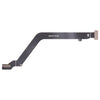
Unlock the Power of Your Xiaomi Redmi Note 10 with This Easy LCD Flex Cable Replacement
, by Great Deal, 2 min reading time
, by Great Deal, 2 min reading time
Are you the proud owner of a Xiaomi Redmi Note 10 4G or Note 10s? If so, you might have encountered an issue with your LCD flex cable, which can cause a range of display-related problems. Fear not, my friend! In this blog post, we'll walk you through the simple process of replacing the LCD flex cable and get your device back to its former glory.
The LCD flex cable is a crucial component that connects the display to the main circuit board of your Xiaomi Redmi Note 10. Over time, this cable can become damaged, worn, or simply stop functioning properly. This can lead to a variety of issues, such as:
If you're experiencing any of these problems, it's likely that your LCD flex cable needs to be replaced. Fortunately, this is a relatively straightforward process that you can tackle at home with a few basic tools.
Before we dive in, make sure you have the following items on hand:
Once you have everything ready, let's get started!
If you encounter any issues during the replacement process or if your device still isn't functioning correctly after the swap, don't worry! Here are a few troubleshooting tips:
Remember to handle the LCD flex cable with care, as it's a delicate component. Avoid excessive bending or twisting, and keep the area clean and free of dust or debris.
With your newly replaced LCD flex cable, your Xiaomi Redmi Note 10 should be back in top shape, ready to tackle all your mobile needs. Happy tinkering, and enjoy your revitalized device!